Station Point!
The "Digital Trap" in Drawing Apps
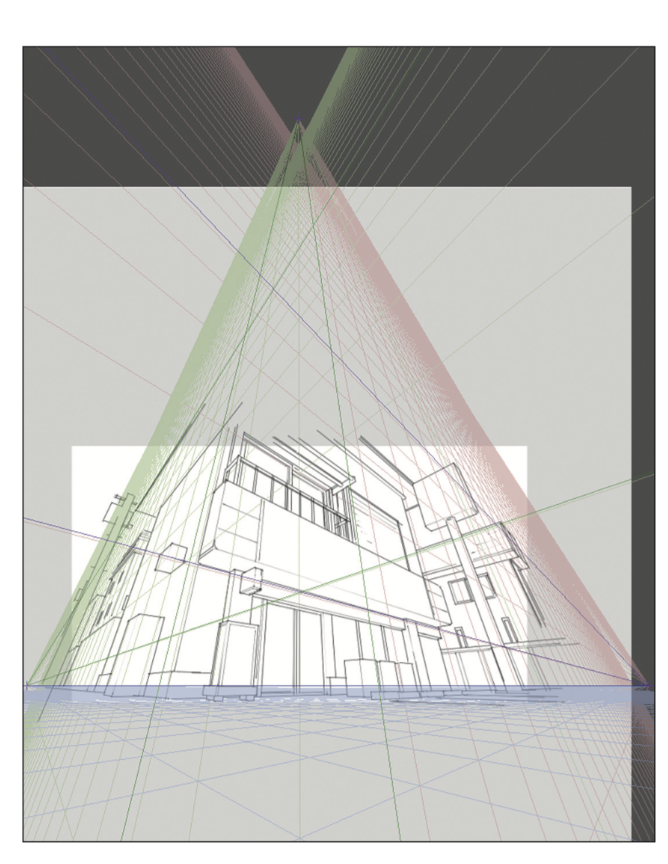
画角ノススメ 電子版 (Gakaku no Susume: Denshi-ban / Recommendation of Field of View: Digital Edition)
If you’ve ever used the perspective rulers in Clip Studio Paint or the guides in Procreate and felt like your drawing looked warped you’re likely confused on where is the most optimal place to place the vanishing point.. These apps allow you to drop vanishing points anywhere, but if you keep them both inside the borders of your canvas, you are effectively telling the viewer that the camera is only inches away from the subject. This creates a frantic, distorted wide-angle look. And when you want to rotate a cube one space that isn’t parallel to other objects, you might get confused on where to place the new vanishing points.
While the common advice is to just "move the vanishing points further apart," it’s rarely explained why that works. And when you want to rotate a cube one space that isn’t parallel to other objects, you might get confused on where to place the new vanishing points. The truth is that the distance between your vanishing points is actually dictated by an invisible third point: the Station Point.
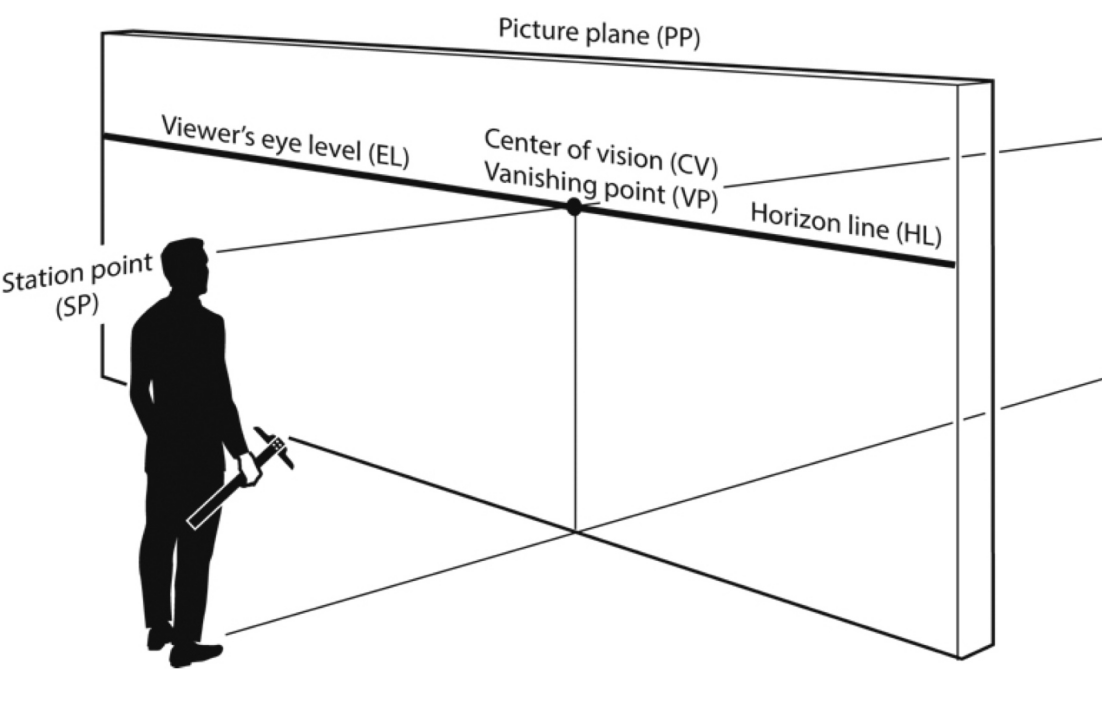
Attebery, C. (2018). The complete guide to perspective drawing: From one-point to six-point. Routledge. https://amzn.to/4pRMHRa
What is ‘em Station Pointy thingyamabob?
In perspective, we tend to obsess over the vanishing points on the horizon, but the most important part of the scene is actually behind the canvas. This is the Station Point, and it represents exactly where you’ve placed your audience.
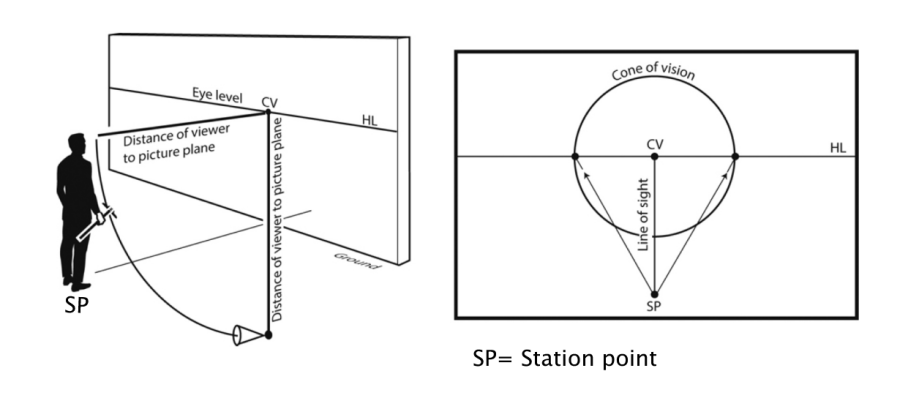
Attebery, C. (2018). The complete guide to perspective drawing: From one-point to six-point. Routledge. https://amzn.to/4pRMHRa
Think of it as a creative choice: do you want the audience to be in the thick of the action or a bit more removed? When you bring the Station Point closer to the "picture plane" (your canvas), it forces the vanishing points together and creates that wide-angle distortion. By understanding that the Station Point is your physical location in the world, you realize that "moving the points apart" is actually just the act of stepping back to give your subject some breathing room.
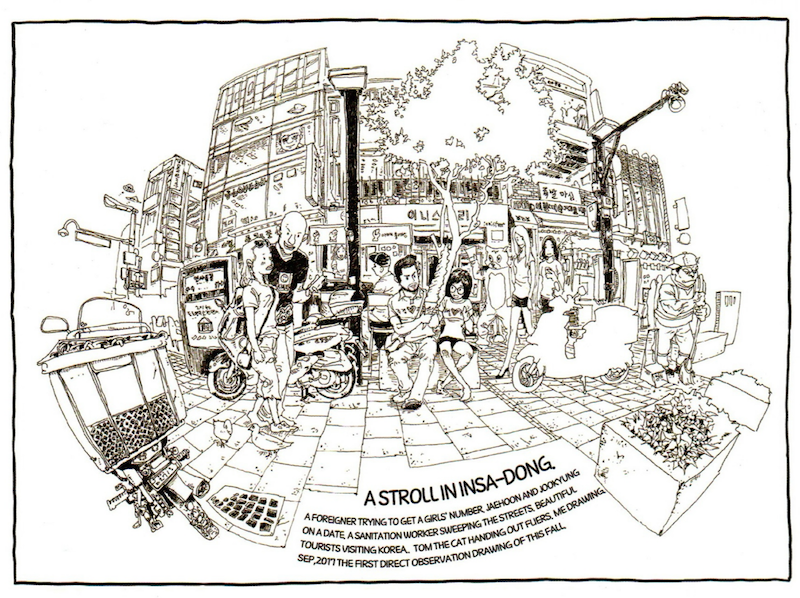
This a great example of a wide angle style type of drawing. Kim, D. H. (2017). Space drawing: Perspective. Superani. https://superanius.com/products/dong-ho-kim
The Secret to Rotating Objects
The Station Point isn't just for choosing a view; it’s a tool for construction. One of the hardest things to do in visual development is rotating a vehicle or a prop without it looking like the corners are melting or changing shape. It’s easy to accidentally draw a box with 60-degree corners when they should be a perfect 90 degrees.
This is probably one of the best explanation video on how to rotate a cube based on the station point and cone of vision(Cone of Vision can also be thought of as a tool to how close you are to the subject). The trick is to remember that in a standard setup, the lines connecting your two vanishing points back to your Station Point must form a perfect 90-degree corner. Imagine a carpenter’s square sitting on the floor at your feet. If you want to rotate an object, you simply pivot that 90-degree corner at your Station Point. Wherever those two "arms" hit your horizon line, those are your new, perfectly accurate vanishing points. This takes the guesswork out of the process and ensures your objects stays consistent no matter which way it turns.